
Summarize this blog post with:
There's a version of marketing that feels important. You're in a room. The numbers tell a story. The story moves people. Budgets shift. Everyone leaves with a sense of direction.
Then someone asks which blog post actually drove a sale. And the room goes quiet.
That's the gap SEO analytics is supposed to close. However, for most teams, it doesn't. Not because the tools are bad, but because we've confused tracking with understanding. Traffic is not revenue. Position 1 is not a conversion. A spreadsheet full of keywords is not a strategy.
This guide is about closing that gap with a clear framework for measuring SEO that holds up in a budget review, not just a weekly standup.
Here's what we'll cover:
- What SEO analytics is and what it's been mistaken for
- The 4 types of SEO and the data each produces
- The 15 metrics that connect search to revenue
- A 7-step analysis process you can repeat every month
- How to build an automated SEO dashboard in under 2 minutes
What Is SEO Analytics?
SEO analytics is the ongoing process of collecting, measuring, and interpreting data about your website's organic search performance to make decisions that grow qualified traffic and revenue.
That's the whole definition. Everything else is implementation.
What SEO Analytics Is Not
It's worth being specific here, because the term gets stretched to cover things it shouldn't.
- It's not keyword research. Keyword research looks outward, at what people search for before your content exists. SEO analytics looks inward, at how your existing content actually performs. Two different stages, two different toolsets.
- It's not rank tracking. Rankings are a signal, not a destination. A page sitting at position 3 that converts nobody is underperforming a page at position 9 that fills your pipeline. Rank is a stepping-stone metric, not a KPI.
- It's not a one-time audit. An audit is a snapshot. Analytics is a habit. The teams that win in organic search are the ones reviewing data on a cadence, not the ones who ran a site crawl eighteen months ago.
Why It Matters More in 2025 and 2026
Search has changed faster in the last two years than in the previous ten.
Google's AI Overviews now answer queries directly on the results page, which means clicks don't always follow impressions. CTR as a standalone metric no longer tells the full story. In fact, 52% of the sources cited in Google AI Overviews still come from pages ranking in the top 10, reinforcing that strong rankings remain critical even as search becomes more AI-driven.
LLMs like ChatGPT and Perplexity are sending referral traffic that doesn't show up cleanly in traditional organic reports. If you're not tracking it, you're undercounting your reach.
And at the leadership level, "we grew traffic" is no longer enough. Revenue attribution from organic search is now a baseline expectation, not a bonus deliverable.
The 4 Types of SEO (and What Data Each Produces)
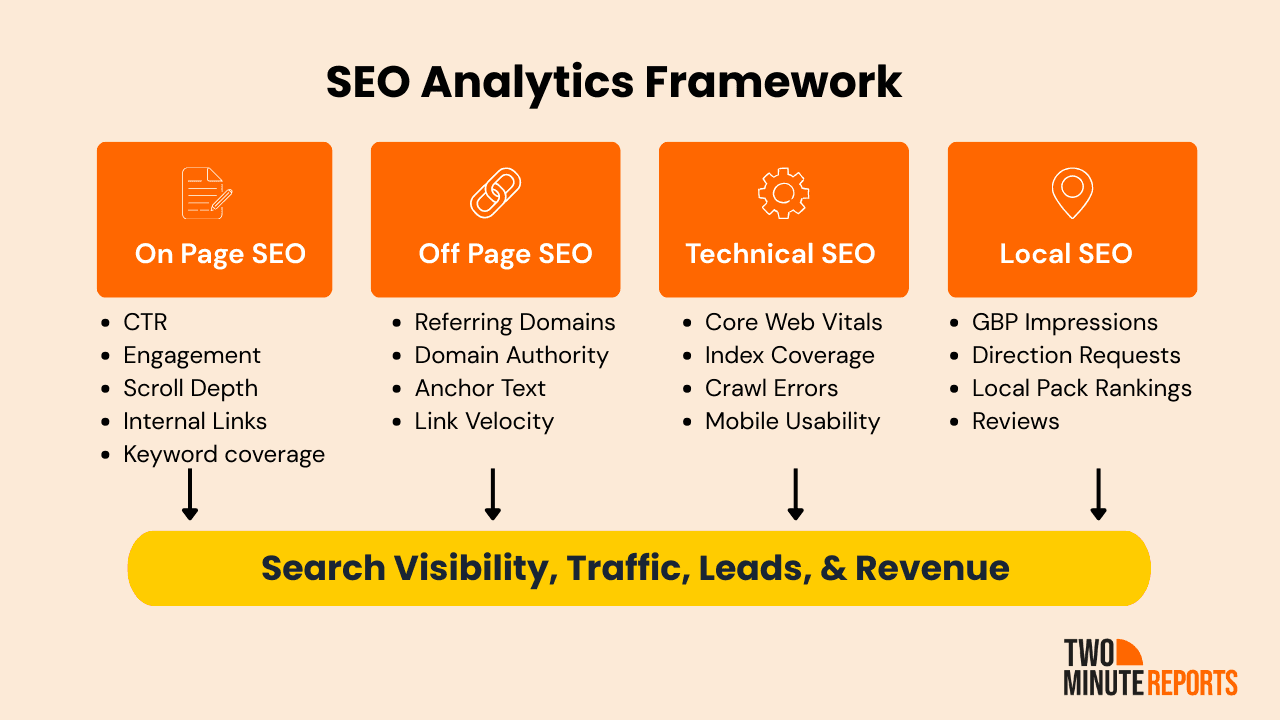
SEO is not one discipline. It's four, each measuring a different dimension of how your site performs in search. Understanding what data each type produces is what separates teams that react to traffic drops from teams that know exactly why they happened.

On-Page SEO Analytics
On-page SEO measures the content and structural signals on your pages that tell both users and search crawlers what a page is about and whether it's worth ranking.
Data to track:
- CTR by page from Google Search Console, which shows whether your title tags and meta descriptions are earning clicks relative to impressions
- Average engagement time and scroll depth via GA4, which indicate whether visitors are actually reading what they came for
- Internal link clicks, showing how well your content guides users deeper into your site
- Keyword placement and coverage, confirming your target terms appear in the right structural positions
Primary tools: Google Search Console for search performance, GA4 for on-site behaviour.
Off-Page SEO Analytics
Off-page SEO measures how the rest of the internet perceives your site, specifically the authority and trust signals that come from external sources linking to you.
Data to track:
- Total referring domains and their trend over time, not just raw backlink count
- Domain authority trajectory, watched month over month rather than as a fixed score
- Anchor text distribution, to check for over-optimisation that can trigger algorithmic penalties
- Link velocity, the rate at which you're acquiring new links, since sudden spikes look unnatural
- Toxic link ratio, flagging low-quality links that may need disavowing
Primary tools: Ahrefs, Semrush, or Moz.
Technical SEO Analytics
Technical SEO measures whether search engines can actually crawl, index, and render your site without friction, and whether the page experience meets the thresholds Google uses as ranking signals.
Despite how critical these factors are, many websites still struggle with technical performance. As of November 2025, only 54.6% of websites pass the overall Core Web Vitals assessment, according to the Chrome UX Report (2025). This highlights how common technical issues like slow loading, layout shifts, and poor interactivity still are.
To evaluate the technical health of your site, here are the key data points to track:
- Core Web Vitals: LCP (loading), INP (interactivity), and CLS (visual stability), all available in Search Console
- Index coverage, showing how many of your submitted pages are indexed versus excluded, and why
- Crawl errors, which reveal pages Google tried and failed to access
- Mobile usability score, increasingly critical as mobile-first indexing is now the default
- Structured data errors, which affect your eligibility for rich results
Primary tools: Google Search Console, PageSpeed Insights, Screaming Frog.
Local SEO Analytics
Local SEO reporting and analytics measure your visibility in geographically relevant searches and map-based results, which is critical for any business serving a specific location or region.
Local search demand is significant. Approximately 14% of all keyword searches are for local information or businesses. In addition, businesses with a complete Google Business Profile are 70% more likely to attract visitors and 50% more likely to be considered for a purchase (Google).
To evaluate your local search performance, track the following data points:
- Google Business Profile impressions and the search queries driving them
- Direction requests and call clicks, which are strong intent signals
- Local pack rankings for your core service keywords by location
- Review volume and sentiment, since ratings directly influence local pack visibility
Primary tools: Google Business Profile Insights, BrightLocal.
All four data types can feed into a single Looker Studio or Google Sheets dashboard through Two Minute Reports. No SQL, no manual exports, no stitching spreadsheets together on a Friday afternoon.
The 15 SEO Metrics That Actually Matter
Most SEO reports track too many metrics or the wrong ones. Here are the 15 SEO metrics that actually tell you something useful, organised by what they reveal.

1) Visibility and Rankings
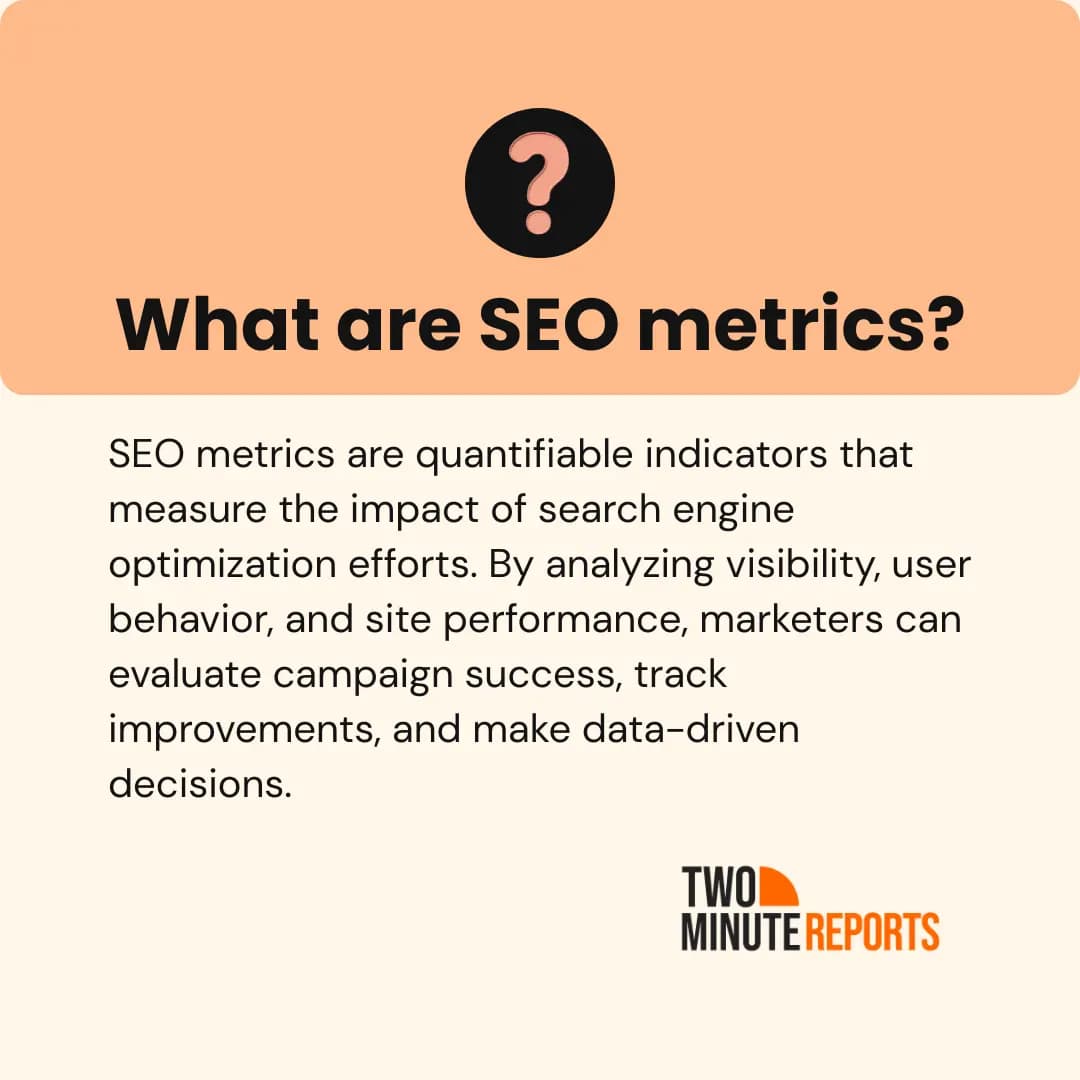
i) Organic Impressions
Think of impressions as your search footprint. Every time your page showed up in results, whether anyone clicked or not, that counts.
On its own, the number means little. But the pattern matters. A page racking up thousands of impressions with almost no clicks isn't an SEO failure. It's a headline problem. The content is ranking. It's just not selling the click.
Track it in Google Search Console. Watch the trend, not the absolute number.

ii) Average Position
Where your pages rank, on average, for the queries driving them.
The mistake most teams make is looking at this site-wide. A blended average across thousands of keywords tells you nothing. Filter it by individual page or query cluster, and suddenly you can see which pieces are sitting at position 8 or 9, one good update away from a meaningful traffic jump.
Track it in Google Search Console, at the page and query level.
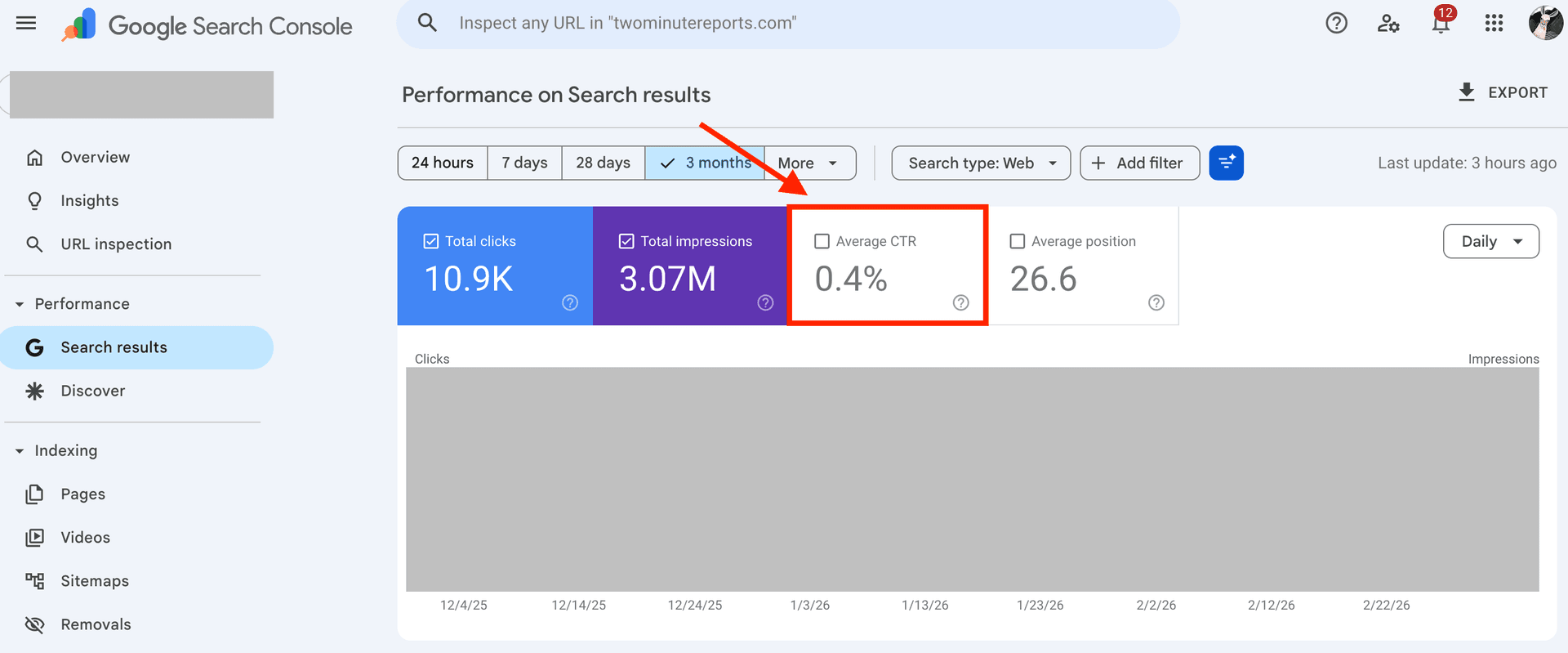
iii) Click-Through Rate
The percentage of people who saw your result and actually clicked it.
Historically, position 1 earned around 28 to 30 percent CTR. That number is falling. Google's AI Overviews now answer many queries directly on the results page, which means fewer clicks even when you rank well. For informational queries, especially, a low CTR no longer means your SEO is broken. It may mean the search landscape has changed around you.
Track it in Google Search Console. Use it to prioritise title tag improvements, not as a standalone health score.

2) Traffic Quality
iv) Organic Sessions and Users
The baseline. Sessions count visits, users count individuals. Both are worth knowing, but neither means much without context.
A spike in organic sessions is only good news if engagement and conversions move with it. If they don't, you've attracted the wrong audience or the wrong queries. Always read this metric alongside what people did after they arrived.
Track in GA4.

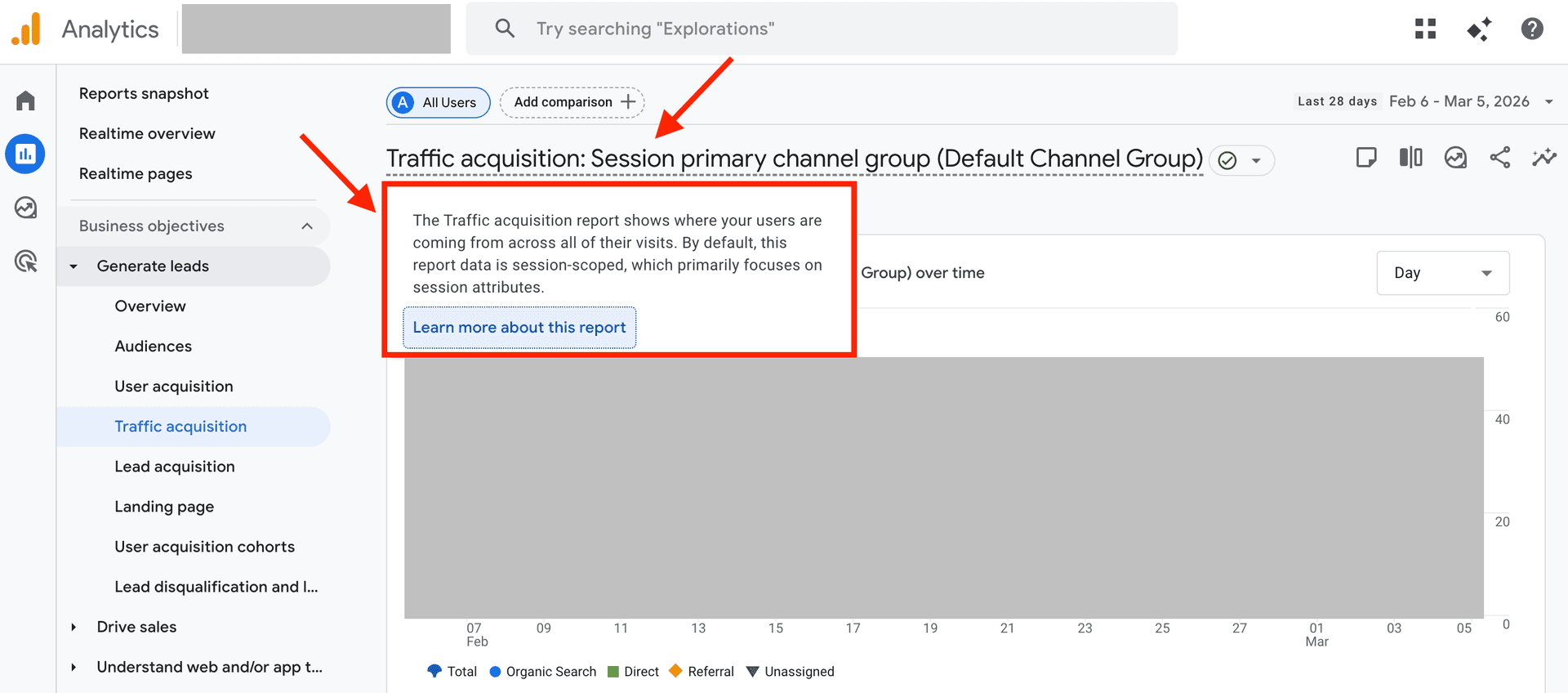
v) New vs. Returning Organic Visitors
New visitors tell you your content is reaching fresh audiences. Returning visitors tell you it was worth coming back to.
A site with almost no returning organic visitors usually has a depth problem. People found an answer and left, permanently. That's fine for some content. For a brand trying to build trust over time, it's worth paying attention to.
Track in GA4.
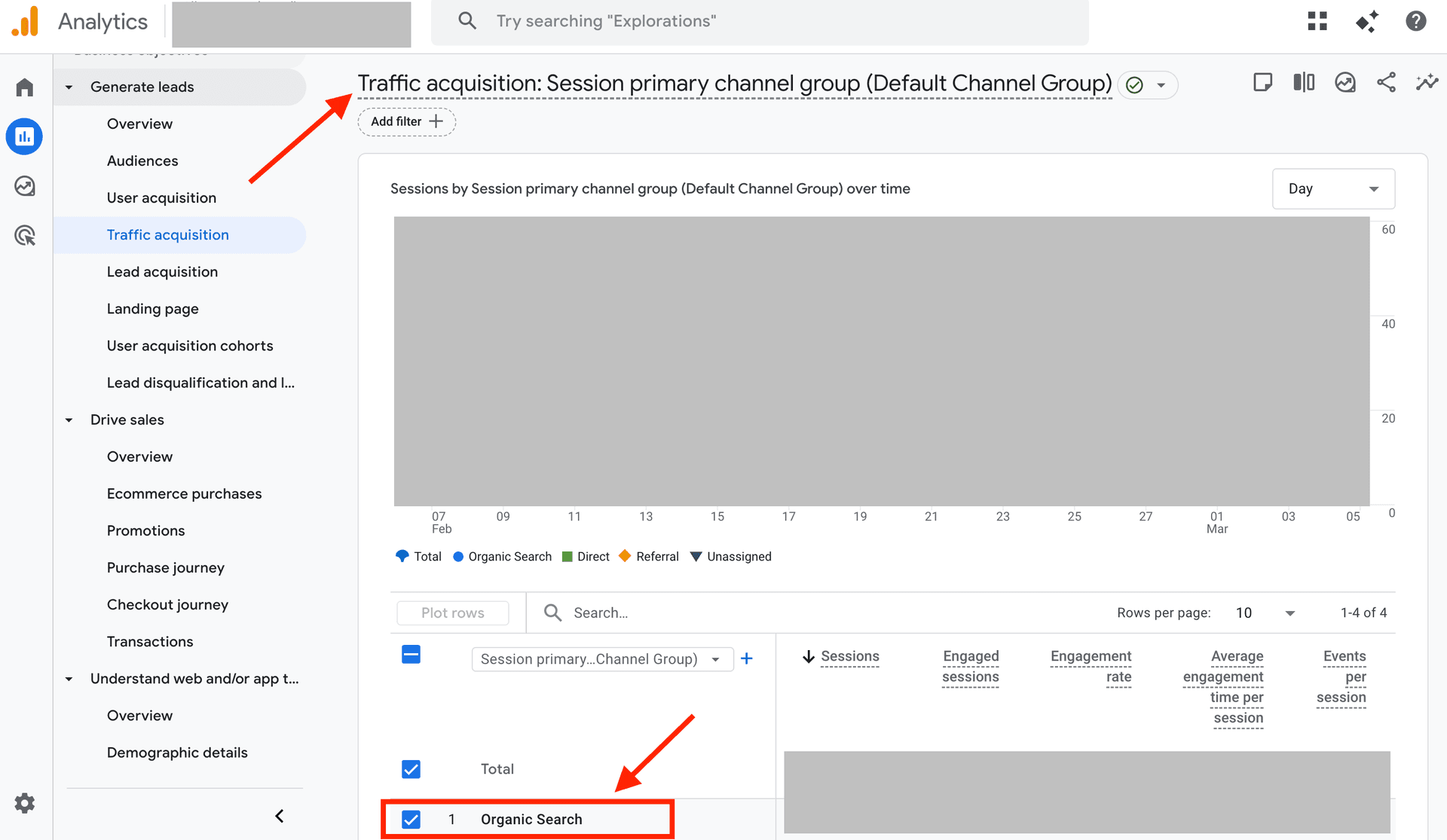
vi) Organic Traffic by Landing Page
This is where traffic data gets interesting.
Your top 20 organic landing pages tell you what Google considers you authoritative on. Your bottom performers tell you where to consolidate, redirect, or improve. If your homepage is your number one organic landing page, that's a sign your blog and content program aren't pulling their weight yet.
Track in GA4 under Traffic Acquisition, filtered by organic search.

vii) Traffic Share by Device
If your mobile traffic share is significantly lower than desktop, there's usually a mobile experience problem suppressing your rankings. Most industries sit between 60 and 65 percent mobile. Anything well below that is worth investigating.
Track in GA4.
3) Engagement and User Behaviour
viii) Engagement Rate
GA4 shifted focus from bounce rate to engagement rate. A session counts as engaged if it lasted more than 10 seconds, included a conversion event, or involved at least two page views.
A healthy engagement rate for most content sites sits above 60 percent. If yours is consistently lower, the issue is usually a mismatch between what the page promises in search results and what it actually delivers.
Track in GA4.
ix) Average Engagement Time per Session
How long users are actively interacting with your content, not just how long a tab stays open.
Low engagement time on a long piece usually means one of two things. The content answered the question too slowly, or it didn't answer it at all. Either way, it's a content quality signal worth acting on.
Track in GA4.
x) Pages per Session from Organic
How many pages does a visitor touch after landing from a search?
A higher number means your internal linking and content structure are doing their job, building curiosity rather than satisfying it in one click and losing the visitor forever. Aim for above 1.8 as a starting benchmark.
Track in GA4.

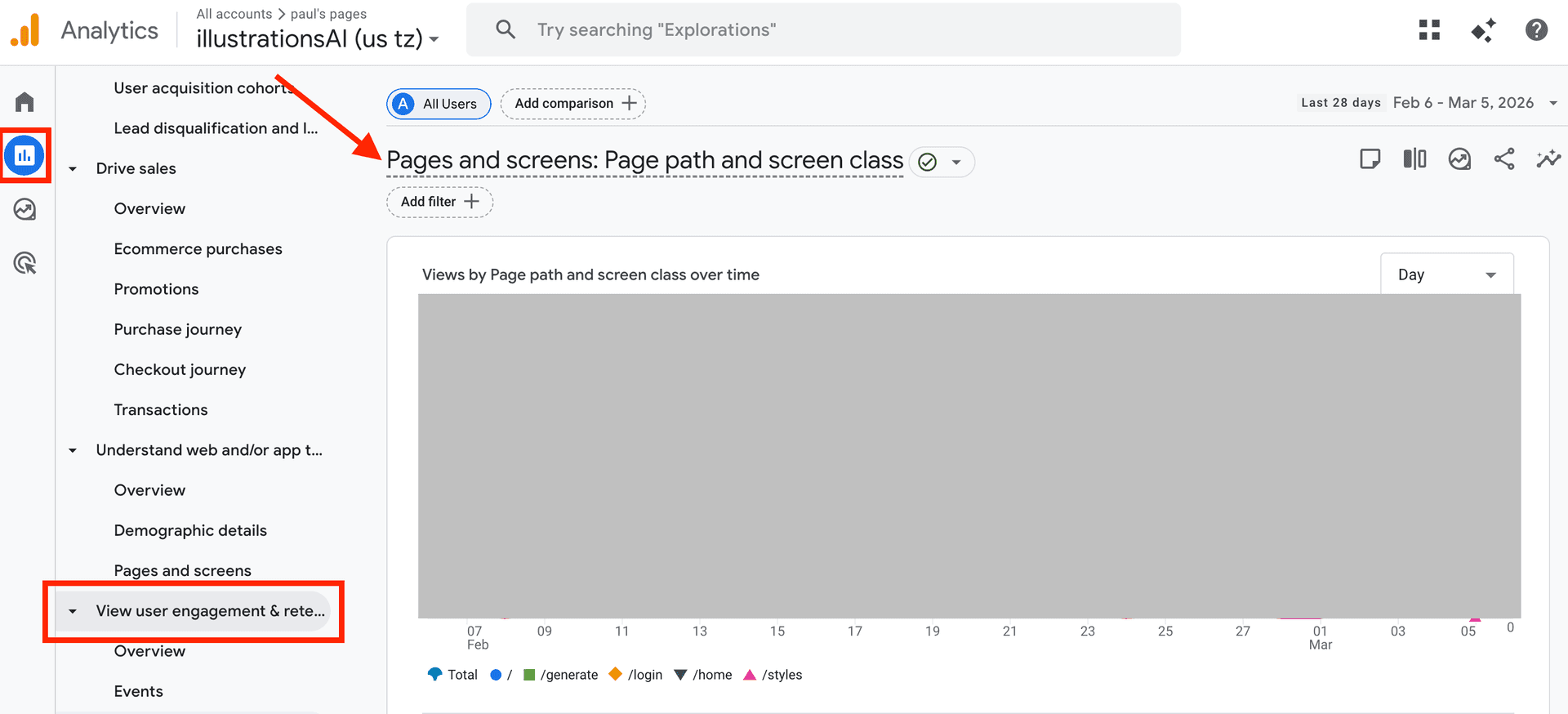
4) Conversions and Business Impact
xi) Organic Conversions
The most important category. Also, the most underreported.
Set up conversion events in GA4 for every action that matters: form fills, demo requests, purchases, and signups. Then filter by organic source. Until you do this, you don't actually know what your SEO program is contributing. You're just reporting traffic and hoping leadership connects the dots.
Track in GA4.
xii) Organic Revenue or Pipeline Contribution
For ecommerce, GA4 reports organic revenue directly. For B2B, you need to connect GA4 with your CRM to attribute the pipeline to organic touchpoints.
This is the number that justifies SEO investment at the leadership level. Without it, SEO is a cost centre. With it, it's a growth channel.
Track in GA4 plus CRM.
xiii) Cost per Organic Acquisition
Divide your total SEO spend, tools, headcount, and agency fees by the number of organic conversions in a given period. Then compare that number against your paid cost per acquisition.
For most mature SEO programs, organic CPA is significantly lower than paid. That comparison is the most persuasive slide in any budget presentation.
Track using GA4 data plus your finance inputs.
5) Technical Health
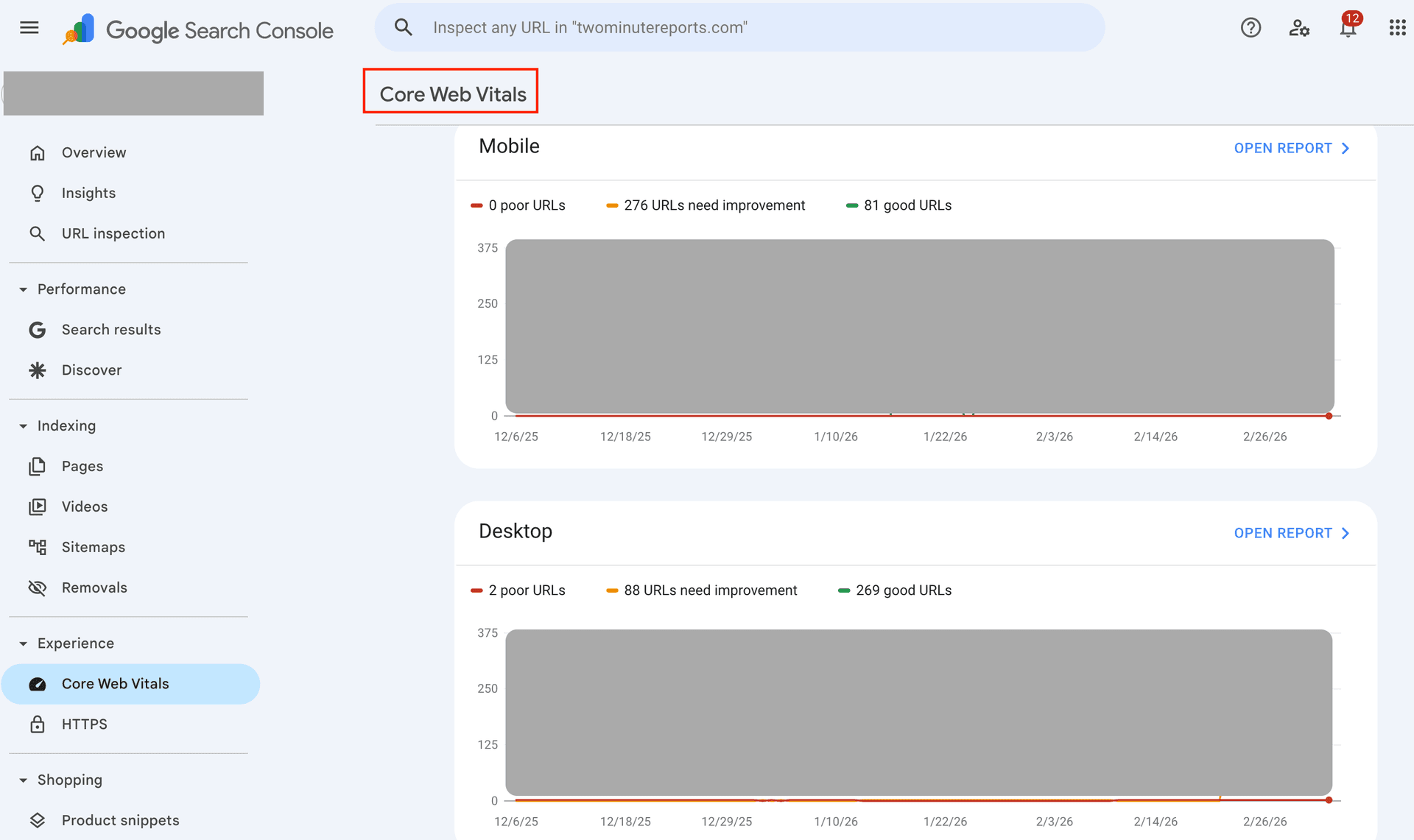
xiv) Core Web Vitals Pass Rate
Google's page experience benchmarks: LCP under 2.5 seconds, INP under 200 milliseconds, CLS under 0.1.
Failing Core Web Vitals doesn't guarantee a ranking drop. But passing them removes a variable that could be holding you back, and it keeps your site off the list of things developers need to fix urgently.
Track in Google Search Console under the Core Web Vitals report.

xv) Index Coverage Ratio
The percentage of your submitted pages that Google has actually indexed.
A low ratio means Google is quietly ignoring large portions of your site, often because of duplicate content, thin pages, or crawl budget issues. Divide indexed pages by total submitted pages in your sitemap. Aim for above 80 percent.
Track in Google Search Console.
SEO Metrics At a Glance
Step-by-Step SEO Analytics Process
Seven steps. Run this every month.
Step 1: Define Your Goals Before You Open Any Tool
Most SEO reports feel busy but directionless. Here’s why:
Before pulling a single number, answer one question: What are you actually trying to achieve this quarter?
- Growing top-of-funnel awareness?
- Increasing demo requests from organic?
- Recovering traffic after a Google update?
Each goal points to different metrics. Each metric points to different actions.
Pick two or three primary KPIs and write them down. A good starting set for most teams:
- Organic sessions
- Organic conversions
- Average position for target keyword clusters
Output: A one-page KPI doc that everyone reporting on SEO is aligned to. Skip this step, and every other step produces noise.
Step 2: Connect and Centralise Your Data
You can’t analyze data that’s scattered across five tabs in three different tools.
Build your stack based on where you are:
- Minimum viable: Google Search Console + GA4 for basic search performance and on-site behaviour.
- Intermediate: Add Ahrefs or Semrush for backlink analysis, keyword tracking, and competitor insights.
- Automated reporting: Use an automated reporting tool like Two Minute Reports to centralise data from Search Console, GA4, and other sources into one automated dashboard. At this stage, you can also connect your CRM to attribute organic traffic to the pipeline and revenue.
The goal is one place where all your SEO data lives and refreshes automatically. Manual exports work when you're starting. They don't scale.
Output: A connected SEO analytics system where data flows into a single dashboard without manual reporting.
You can also use Two Minute Reports’ pre-built SEO templates (free) to centralize data from multiple sources and turn it into an automated dashboard in minutes.
Step 3: Audit Your Technical Health
Technical issues are quiet. A page with a crawl error doesn't announce itself. It just stops ranking.
Open Google Search Console and check three reports:
- Core Web Vitals - are your pages passing LCP, INP, and CLS thresholds?
- Index Coverage - which pages is Google excluding and why?
- Mobile Usability - are any pages failing on mobile?
Note every issue. Then prioritise by traffic impact, not by how easy the fix looks.
Output: A technical issues backlog ranked by the traffic each fix is likely to recover.
Step 4: Analyse Content and Keyword Performance
This is where most of the content marketing metrics live.
Start with your top ten organic landing pages by sessions and conversions. Understand why they work before trying to replicate them.
Then look for three things:
- Quick wins: Pages ranking positions 5 to 15 with high impressions but low CTR. A better title tag can move these without rebuilding the content.
- Declining pages: Anything that has lost traffic month over month or year over year. These need attention before they slide further.
- Content gaps: Competitor keywords you're not ranking for yet. These are your next content briefs.
Output: A prioritised content optimisation list ordered by potential traffic impact.
Step 5: Analyse Your Backlink Profile
Backlinks move slowly, which is why many teams ignore them until something goes wrong. But they remain one of the strongest ranking signals in search.
In fact, the #1 result in Google has an average of 3.8× more backlinks than positions #2–10, according to Backlinko. That gap shows how much link authority can influence rankings.
To understand the health and growth of your backlink profile, check three things:
- New and lost backlinks from the last 30 days. A sudden loss of high-authority links can explain a ranking drop that nothing else accounts for.
- Anchor text distribution. Over-optimised anchor text is a penalty risk most teams don't notice until it's too late.
- Competitor link gaps. Where are they earning links you aren't? That's your outreach list.
Output: A link-building target list built on competitive data, not guesswork.
Step 6: Build and Automate Your Report
If you're manually compiling your SEO client report every month, you're spending time on formatting that should go into analysis.
Set up your reporting destination once:
- Looker Studio for visual dashboards
- Google Sheets for teams that live in spreadsheets
- PDF exports for client reporting
Then automate the data refresh. Set alerts for:
- Traffic drops above 20 percent on key pages
- Ranking shifts on your highest-converting keywords
You want to know about problems before your boss does.
Output: A live SEO dashboard that updates itself. A dedicated section below covers how to build this in Two Minute Reports in under two minutes.
Step 7: Act, Test, and Repeat
A report nobody acts on is just a document.
Every monthly review should end with a decision, not a slide deck. Ask:
- What gets updated this month?
- What gets tested?
- What gets cut?
Run small tests continuously:
- A/B test title tags for CTR improvement
- Refresh underperforming content every quarter
- Track whether your changes moved the metrics you intended to move
SEO compounds. Teams that treat it as a system win. Teams that treat it as a series of one-off projects stay stuck.
Output: A monthly action list tied directly to your KPIs.
SEO Analytics Tools: A Comparison
No single tool covers everything. Here's how the landscape breaks down.
I) Free Tools
1) Google Search Console
Your first stop for search performance data and the one tool no SEO setup should be without. It shows you exactly how Google sees your site.
- Impressions, clicks, average position, and CTR by page and query
- Index coverage, crawl errors, and mobile usability issues
- Core Web Vitals report with page-level diagnostics
What most teams underuse: The Search Queries report filtered by individual URL. That's where quick-win opportunities hide. To work with larger datasets, you can export Google Search Console data to Google Sheets beyond the 1,000-row limit.
2) Google Analytics 4
Where search data meets on-site behaviour. GA4 tells you what visitors do after they arrive from organic search.
- Traffic, engagement, and conversion data segmented by source
- Revenue attribution for e-commerce, goal completions for B2B
- Audience insights, including device, location, and new vs. returning visitors
One thing to note: if you migrated from Universal Analytics rather than rebuilding GA4 from scratch, your conversion tracking and session definitions may need revisiting. This GA4 reporting beginner's guide explains how to set up reports and interpret your data properly.
3) Google PageSpeed Insights / Lighthouse
A diagnostic tool, not a monitoring one. Paste in a URL and get a breakdown of exactly what's failing your Core Web Vitals, why, and what to prioritise fixing. Most useful before and after a site redesign or performance sprint.
4) Bing Webmaster Tools
Often overlooked. Bing holds 3 to 5 percent of global search volume, which sounds small until you apply it to your actual traffic numbers. Free to set up, mirrors much of what Search Console offers, and includes its own keyword research tool.
II) Paid Tools
5) Ahrefs
The go-to for backlink analysis and competitive research. If you want to understand where your domain authority stands and how your competitors are earning links, this is where you start.
- Site Explorer shows any domain's link profile, organic keywords, and top pages
- Content gap tool surfaces competitor keywords you're not ranking for
- Site Audit handles technical crawls reliably alongside the core features
6) Semrush
The all-in-one option. Broad coverage across every major SEO discipline makes it the most common choice for agencies managing multiple clients.
- Keywords, backlinks, site audit, and competitor research under one roof
- Position tracking monitors ranking changes over time
- Content gap analysis and on-page optimisation recommendations built in
7) Moz Pro
Strong on domain authority tracking and link exploration. Domain Authority has become widely used shorthand for site credibility in client reporting, and Moz is where that metric lives.
- Link Explorer for backlink research and authority scoring
- Rank tracking with SERP feature visibility
- Good fit if authority metrics are central to how you report SEO progress to stakeholders
8) Screaming Frog
A desktop crawler that goes deeper than most cloud-based tools. Essential for large or technically complex sites where surface-level audits miss the real issues.
- Crawls up to 500 URLs free, unlimited on the paid licence
- Identifies redirect chains, duplicate content, broken internal links, and missing metadata at scale
- Exports clean data for further analysis in Sheets or Excel
III) Reporting & Visualisation Tools
9) Two Minute Reports

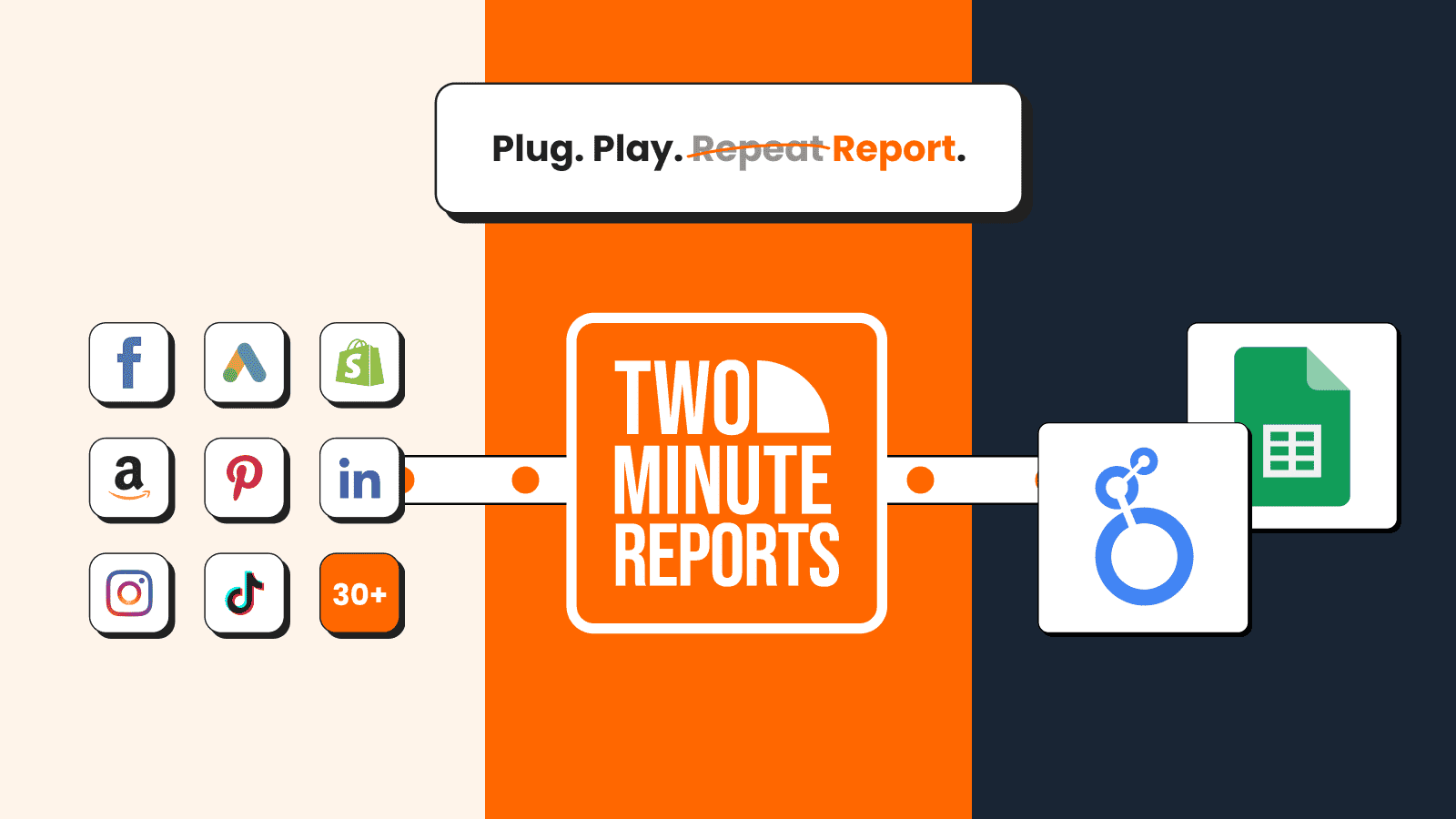
Two Minute Reports is a marketing reporting and automation tool that connects multiple marketing data sources and turns them into dashboards in Looker Studio or Google Sheets.
The free and paid tools mentioned above generate raw SEO data. The problem is that they don’t communicate with each other.
Your Search Console data is in a single tab. Your GA4 data sits in another. Your Bing export is a spreadsheet on someone’s desktop. Every month, someone spends hours stitching it together into a report that’s already outdated by the time it lands in an inbox.
This is where Two Minute Reports comes in. It sits on top of your existing SEO stack and connects everything into one, automated dashboard in Looker Studio or Google Sheets, with no coding required.
What you can do with Two Minute Reports:
- Pull data from 30+ data sources like Google Search Console, GA4, and more into a single auto-refreshing dashboard
- Blend multiple data sources without writing a single line of SQL
- Build custom, white-label dashboards for clients and stakeholders
- Automate report delivery on a schedule (daily, weekly, monthly, and even hourly)
- Set up in under 2 minutes, no engineering resources needed
Want to see how Two Minute Reports compares to its competitors in price, features, and support? Check our dedicated page ‘Compare Two Minute Reports to Other Reporting Platforms.’
How to Build an SEO Analytics Dashboard with Two Minute Reports
Tracking the right metrics is the first step. Now let's structure them into a clear, client-ready SEO analytics dashboard using Two Minute Reports.
1. Connect Your Data Sources
- Install the Two Minute Reports add-on from the Google Workspace Marketplace
- Connect Google Search Console, GA4, and other data sources securely via Google authentication — no API keys or developer help needed
- Map the right data source to the right client from a single workspace
2. Choose Metrics Based on Your SEO Goal
Don't overload the dashboard. Align SEO metrics with what you're actually trying to achieve.
- If the goal is visibility → focus on impressions, average position, and CTR
- If the goal is traffic growth → focus on organic sessions, landing page performance, and new users
- If the goal is engagement → focus on engagement rate, average engagement time, and pages per session
- If the goal is revenue → focus on organic conversions, pipeline contribution, and cost per organic acquisition
Tip: One dashboard, one primary objective. Structure your report around that.
3. Customise Your Dashboard to Reflect What Matters
This is where your dashboard becomes strategic. Customise based on:
Audience type:
- If leadership is the audience → lead with revenue and conversion data, not rankings
- If the client is an agency → include white-label branding and scheduled delivery
Site stage:
- If the site is new → emphasise crawl health, index coverage, and early keyword gains
- If the site is established → focus on position movement, content decay, and conversion trends
Reporting cadence:
- Weekly dashboards → highlight anomalies and ranking shifts
- Monthly dashboards → show trends, wins, and next actions
Structure your SEO dashboard around this model so it reflects how this specific site grows, not just how SEO works in general.
4. Automate for Real-Time Insights
Schedule your reports to refresh and deliver at your preferred intervals — daily, weekly, or monthly.
Each report should include:
- A snapshot of organic traffic and ranking movements since the last cycle
- Any pages gaining or losing significant impressions or CTR
- One optimisation decision: a page to update, a title tag to test, a technical fix to prioritise
- One experiment to run next cycle: a content refresh, an internal linking change, or a new keyword cluster to target
Pro tip: Create reusable, branded SEO dashboards with custom layouts and automate delivery to save time, scale faster, and surface real-time wins without the manual overhead.
Common SEO Analytics Mistakes to Avoid
Even experienced teams fall into these. Here's what to watch for.
1) Tracking average position site-wide
- A blended average across thousands of keywords tells you nothing useful
- Filter by individual pages and query clusters to see what's actually happening
2) Misreading bounce rate in GA4
- Bounce rate in GA4 is not the same metric as it was in Universal Analytics
- It now measures non-engaged sessions: under 10 seconds, no conversion, no second page view
- If you're still interpreting it the old way, your conclusions are wrong
3) Ignoring impressions
- High impressions with low CTR is not a ranking problem, it's a title tag problem
- The page is showing up. It's just not convincing anyone to click
- That's a quick win most teams walk past every month
4) Reporting traffic without connecting it to conversions
- Traffic numbers without conversion context are vanity metrics dressed up as strategy
- If you can't answer what that traffic did for the business, the report isn't finished
5) Not segmenting branded from non-branded traffic
- Branded search will always convert well, it's people already looking for you
- Mixing it with non-branded traffic inflates your organic performance numbers
- It masks how your actual SEO program is performing
6) Setting KPIs from default tool dashboards
- Tools show you what they can measure, not what your business needs to track
- Start with business goals and work backwards to metrics, not the other way around
7) Running manual data exports every week
- This is a solved problem
- Automated connectors pull fresh data on a schedule, so nobody spends time copying numbers into a spreadsheet
Conclusion
SEO analytics is not a reporting exercise. It's a decision-making system.
The seven steps in this guide, from defining goals to automating your dashboard, are designed to do one thing: turn raw search data into actions your business can act on. Not a slide deck full of rankings. Not a traffic graph that impresses nobody. A clear, repeatable process that connects what you publish to what you earn.
The tools exist. The data is available. Most teams already have access to everything they need in Google Search Console and GA4.
What's missing is usually the layer that brings it all together. A reporting system like Two Minute Reports keeps data current, surfaces the right metrics, and gets in front of the right people without manual effort every week.
Data that nobody sees drives no decisions. A dashboard that updates itself, tells a clear story, and lands in the right inbox at the right time, that's where SEO analytics actually earns its place in your marketing stack.
Frequently Asked Questions
Web analytics tracks all website traffic regardless of source. SEO analytics focuses specifically on organic search data, such as keywords, rankings, and how search visibility connects to business outcomes. You need both, but SEO analytics requires Google Search Console in addition to GA4.
The five most important: (1) organic sessions, (2) average keyword position, (3) click-through rate, (4) organic conversions, and (5) Core Web Vitals pass rate. Track these before adding complexity.
Weekly monitoring for traffic anomalies and ranking shifts; monthly deep analysis of content performance, backlinks, and technical health; quarterly strategic review to update priorities and content plans.
Yes. Google Search Console and GA4 are free and cover the core metrics most teams need. For backlink analysis, paid tools like Ahrefs or Semrush are necessary. For automated reporting, Two Minute Reports offers a free tier.
Google Search Console + GA4 (both free) for core data, and Two Minute Reports to centralise and automate reporting in Looker Studio or Google Sheets, without needing a data engineer.
Related Blogs





Meet the Author
Shabika VenkidachalamShabika, at her core, is a storyteller who believes even data-heavy topics can be infused with heart. At Two Minute Reports, she blends creative writing with user intent to create clear, purposeful content that is deeply human. Away from her desk, she finds inspiration in nature, where creativity flourishes without distractions.
