Google My Business MCP Server
Connect your Google My Business locations and ask your AI which stores lost calls, which reviews still need a reply and which search terms showed your listing. Compare Maps views, direction requests and star ratings by location or store code without opening each profile one by one.
- No credit card required
- Set up in 2 minutes
- Read-only access





Set Up the Two Minute Reports Google My Business MCP in 3 Simple Steps
Add Two Minute Reports to your AI tool once, then ask about your Google My Business whenever you need an answer.
Create Your Free Account
Add Two Minute Reports to Your AI Tool
Start Asking Questions
Calls, Direction Requests and Unanswered Reviews for Every Location in One Google My Business MCP Question
This example asks about a group of six dental clinics and gets calls, direction requests, review replies, search terms and listing gaps back in a single answer.
 Google My Business
For our 6 dental clinics, compare last month with the month before: which locations lost calls or direction requests, which reviews have no reply, which search terms grew, and is any listing missing hours or a website?
| Area | What I found | Action |
|---|---|---|
| Phone calls | Northside calls fell from 212 to 148 after a new number went live; its Maps views held steady | Fix phone number |
| Direction requests | Riverside drove 38% of all direction requests from 22% of total views | Copy its listing |
| Review replies | 17 reviews have no reply, 9 of them rated 1 or 2 stars at Westgate | Reply this week |
| Search terms | "emergency dentist near me" reached 1,240 monthly impressions; only 2 clinics list that service category | Add category |
| Listing gaps | Westgate has no website URL and Eastside still shows last year's holiday hours | Update listings |
Multi-location summary: Calls dipped at one clinic after its phone number changed, not across the group. Reply to the 9 low-star Westgate reviews and add its missing website first.
Illustrative example
Maps Views, Review Replies and Monthly Search Terms by Store Code in Google My Business
The Two Minute Reports connector reads 129+ Business Profile fields, from daily views and customer actions to review text, search terms and the listing details of each location.
Views on Search and Maps
Views on Search and Views on Maps, each split into mobile and desktop, plus Total views, View source and View medium.
Customer actions
Phone calls, Website visits, Directions requests, Messages, Bookings and Food orders, plus Total actions and Action type.
Search terms
Search terms that showed your profile, with monthly Search impressions. Google shows a threshold value when fewer than 15 people searched a term.
Reviews and replies
Star rating, Review comment, Reviewer name, Review creation date, Review reply comment and Review reply time, plus Total review count and Avg. overall star rating.
Locations and listing details
Location name, Store code, Primary and Additional categories, Regular and Special operating hours, Primary phone, Website URL, Location status, Locality and Postal code.
Posts, offers and photos
Post summary, Post topic type, Post state, event titles and dates, Offer coupon code and terms, plus owner and customer media items with Total media views.
Run a Full Local SEO Audit With Claude
Your Google Business Profile is getting traffic. If your rankings look good but leads aren’t growing, it’s time to find out why. Connect your GMB, GSC and GA4 accounts to Claude through Two Minute Reports, run the audit, and get a tiered action plan within minutes.
No Google-Built Google My Business MCP Yet: API Access Requests, Community Servers or Two Minute Reports
Google has not released a Business Profile MCP server, and its Maps Grounding Lite server covers public place, weather and route data rather than your own calls or reviews. Community servers wrap the Business Profile APIs, which Google opens only after an access request that it reviews within 14 days.
| Feature | Business Profile APIs (no Google MCP) | Community and third-party servers | Two Minute Reports |
|---|---|---|---|
| Who maintains it | Google, as APIs with no MCP layer | Independent developers, for example @bdmarvin/mcp-server-gbp on npm and the hosted MewCP server | Two Minute Reports, hosted for you |
| What you need | A Google Cloud project, an approved API access request and your own code | Your own Google Cloud project with the Business Profile APIs enabled, plus Node.js and an OAuth controller for the npm server | OAuth sign-in and one URL |
| Data covered | Daily metrics and monthly search keyword impressions in the Performance API, with listings in separate APIs | Locations, daily metrics and search keywords; the servers checked do not expose reviews or posts | Views, customer actions, search terms, reviews, posts and media |
| Changes to your listings | The business.manage scope allows listing edits | Varies: the npm server only reads, while MewCP can create, update and delete locations | Read-only on your Business Profile locations |
| Other data sources | Business Profile only | Business Profile only | Business Profile plus 30+ other sources, with all client accounts in one workspace |
| Dashboards and client reports | Not included | Not included | Dashboards and scheduled white-label reports, included in every TMR plan |
Your Data Is Safe
Security you can explain to your clients, too.
We don't store your advertising data on our servers. Two Minute Reports connects to your data sources using OAuth - your credentials never touch our system. Your AI only reads what you've explicitly connected.
OAuth Authentication
Connects securely to your data sources. No passwords stored. Revoke access anytime from your platform settings.
Read-Only Access
Your AI can only read your data. It cannot create, edit, pause, or delete anything. Your account stays fully in your control.
No Data Training
Your advertising data is never used to train AI models. What's yours stays yours - full stop.
More Two Minute Reports MCP Servers You Can Connect Today
The same server URL works for every data source in your Two Minute Reports account.






















Frequently Asked Questions
Yes. The Search terms dimension lists the queries that showed your Business Profile, each with monthly Search impressions. Google reports these by month, not by day, and swaps counts under 15 for a threshold value, so read small terms as a range. To set them next to your website's organic queries, pair it with the Google Search Console MCP.
Yes. Review creation date time and Review reply time are both available, so your AI can work out the hours between them for every review and average them by location. It can also count reviews that have no reply at all. This is the data behind your review response rate, which many local clients ask about.
Yes. Store code, Location name, Locality, Postal code, Administrative area and Primary category are all dimensions, so you can ask for calls per 1,000 views by city or the lowest-rated stores in one category. Store code is the external ID you set for each location, so it can match the store IDs in your own systems.
Yes. Regular operating hours, Special operating hours, Primary phone, Website URL, Location status and categories are all readable for each location. Ask for every listing where one of these is empty or where holiday hours are out of date, and you get a cleanup list before a slow week of calls shows the problem.
A common one is a monthly report for each location with views, calls, direction requests, website visits, rating trend and unanswered reviews. Agencies with many locations add a ranked table so the weakest stores stand out. This guide on building a local SEO report walks through what to include and how to lay it out.
Yes. Each review comes with its star rating, comment, reviewer name, creation date, reply text and reply time. Your AI can group complaints by theme or list low-star reviews by location. For a full local check, the local SEO audit skill combines GMB, Search Console and GA4 data into a tiered action plan. See how to run Claude Skills with Two Minute Reports.
They come from the older Insights reports, and the connector marks them deprecated along with photo views and post views. For current reporting, use Views on Search and Views on Maps by device, plus the Search terms dimension. The full list of Google My Business metrics and dimensions shows which fields are current and which are kept for older data.
Yes. Views on Maps and Views on Search are reported separately, each split into mobile and desktop. Google counts several impressions from one person in a single day as one. Customer actions such as Phone calls and Directions requests come as totals for each action type, so compare them with total views rather than with one surface.
Yes. You get the post summary, topic type, state, action type and link, event titles with start and end times, and offer coupon codes with their terms. Post views and post actions are marked deprecated, so use your posting dates as context for changes in views and calls rather than as a click count.
Recommended Reads
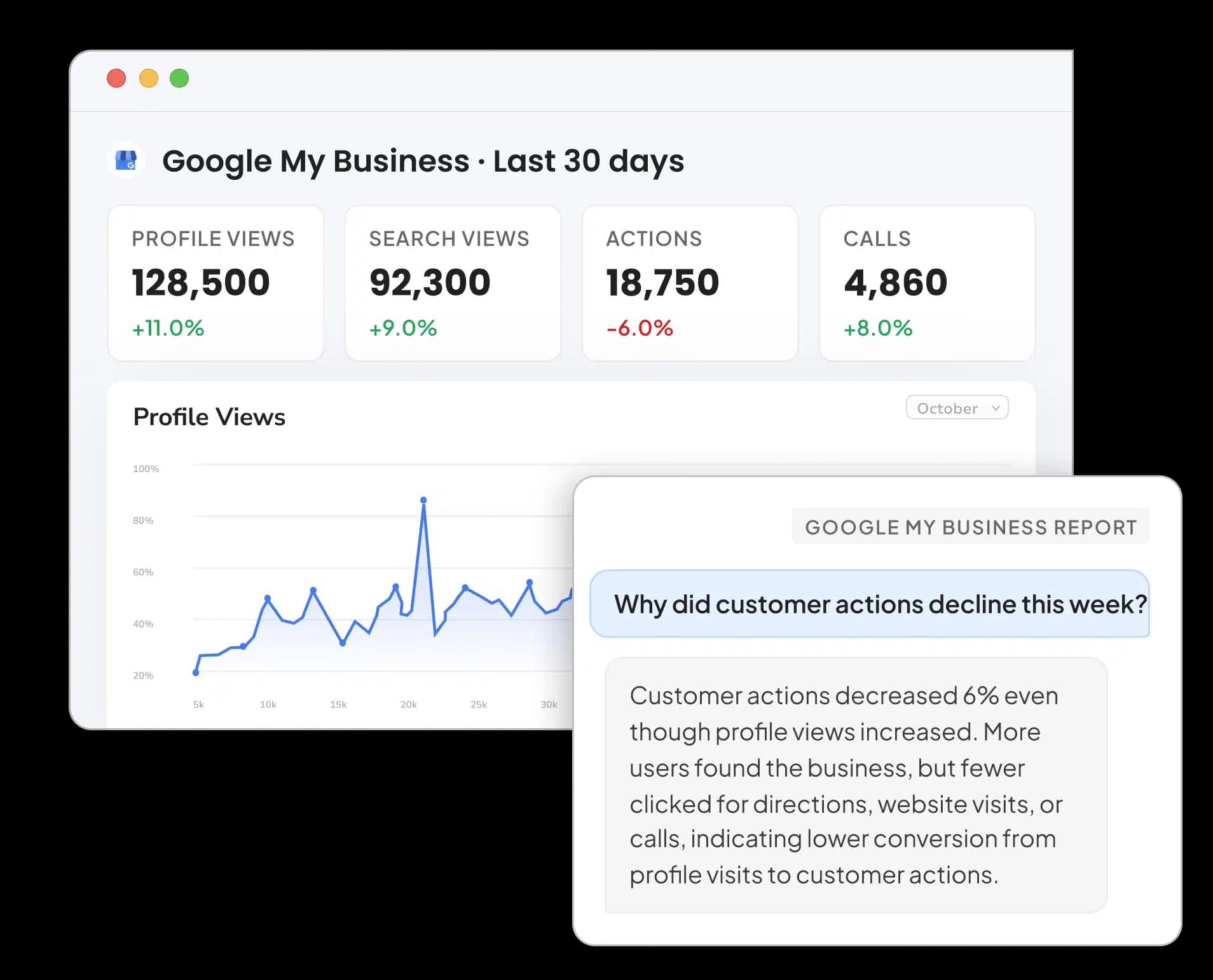
Google My Business Reporting Tool



Top 12 Local SEO Tools to Maximize Your Visibility
Take back your time. Wow clients.
Get Two Minute Reports.
Start your free trial todayBuilt by marketers. Built for marketers.