

Using Custom Fields
Once you've created a custom field, it's saved to your workspace and shows up automatically wherever you pick fields. This page covers where custom fields appear and how to get the most out of them.
Where Custom Fields Appear
Custom fields are workspace-level, so they're shared across your team and available everywhere the field pickers appear, no need to recreate them per report.
Dashboards
Custom metrics and dimensions appear in the metric and dimension pickers when you configure a dashboard widget, right alongside the built-in fields. Use a custom metric like CPA in a scorecard, or group a chart by a custom dimension like your channel grouping.
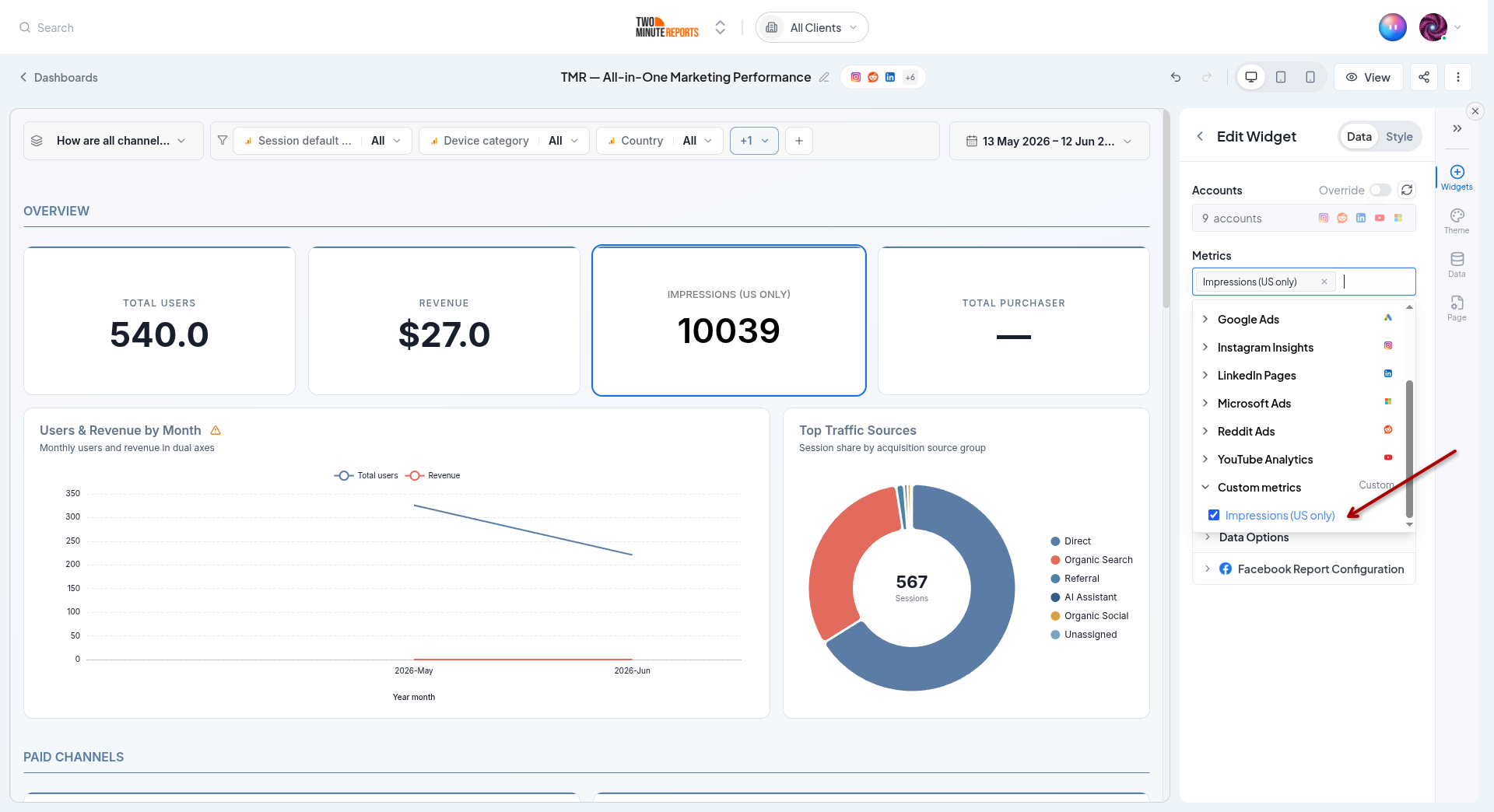
They also work in dashboard filters, so you can filter a whole dashboard by a custom dimension.
Goals
Custom metrics are available when you set up a goal, so you can track targets against your own KPIs, not just the platform defaults. Set a target on your blended ROAS or a custom conversion metric and track pacing like any other goal.
Recipe Ideas
A few common ways teams use custom fields:
Metrics
- CPA / CPL / CPC - cost efficiency from spend and conversions/leads/clicks
- ROAS - revenue divided by spend
- Conversion rate - conversions over clicks or sessions
- Blended Spend - total spend across every ad platform in one metric
Dimensions
- Channel Grouping - map many sources into Paid, Organic, Social, Email
- Campaign Type - label campaigns Branded vs. Non-branded with conditional rules
- Region / Strategy - extract a segment from your campaign naming convention with Split Text
- Unified Campaign Name - one campaign-name column blended across platforms
Best Practices
- Name for the audience. Use clear names like "CPA" or "Channel Grouping", they appear in every picker your team uses.
- Add a description. A one-line description makes a field's intent obvious to teammates.
- Preview before saving. Run the live preview against real accounts to confirm the values are what you expect.
- Set a sensible fallback. Decide what should happen when a field can't be computed, rather than leaving unexpected zeros or blanks.
- Reuse, don't duplicate. Because fields are workspace-level, build one canonical version instead of near-duplicates.
- Order conditional rules carefully. Put specific rules before general ones so values land in the right bucket.
Next Steps
- Creating a Custom Field - Build your first one
- Dashboards - Put custom fields on charts and tables
- Goals - Track targets on your custom metrics